The thinkorswim® platform stores settings either on Schwab servers or on your device. Server-side settings are linked to your account and are available when you sign in on another device. Device-stored settings are saved in the thinkorswim program files on that device.
As a result, signing in on another device may restore saved items such as watchlists and chart styles, but not the original workspace layout or other device-stored settings.
The following table summarizes where common thinkorswim items are stored.
Server-Stored Settings
Copy link to the section
|
Server-Stored Settings |
Description |
|---|---|
|
Watchlists names and symbols |
Names and symbols included in custom watchlists. |
|
Study sets |
Sets of chart studies and their configured parameters. |
|
Drawing sets |
Sets of drawings applied to charts. |
|
Chart styles |
Configurations that control chart appearance and behavior. |
|
Chart grids |
Grid layouts containing multiple independent chart instances, each displayed in a separate cell. |
|
Order templates |
Preconfigured order settings that can be applied when creating an order. |
|
Scan queries |
Criteria used to search for securities that meet specified conditions. |
|
Alerts |
Conditions that generate notifications when specified criteria are met. |
Device-Stored Settings
Copy link to the section
|
Device-Stored Settings |
Description |
|---|---|
|
Workspaces |
Layout and configuration of platform components. |
|
Watchlist gadget columns and configuration |
The columns shown in a watchlist gadget, including their order and display settings. |
|
Custom chart timeframes |
User-defined chart periods and aggregation intervals. |
|
Memory settings |
The range of memory, in MB, allocated to thinkorswim, set using the Memory Usage dropdowns in the settings window opened from the gear icon " on the login screen. |
Workspaces and Saved Settings
Copy link to the section
A workspace records the state and layout of the platform at the time it is saved. It can include:
- Open and detached windows and their screen positions
- Charts including their symbols, settings, timeframes, studies, patterns, strategies, and drawing sets
- Watchlist columns and gadget configuration
- Simulated trades in the Analyze tab
- Symbols loaded in platform components
A workspace can reference server-side items without storing the underlying items themselves. For example, watchlist names and symbols are stored on the server, while the selected watchlist, displayed columns, and gadget configuration are part of the device-stored workspace.
The same applies to charts. Study sets and chart styles are stored on the server, while symbols, studies, and layout currently displayed are recorded in the workspace.
Saving a workspace captures its configuration at the time. Changes made afterward will not appear when the workspace is loaded unless it is saved again.
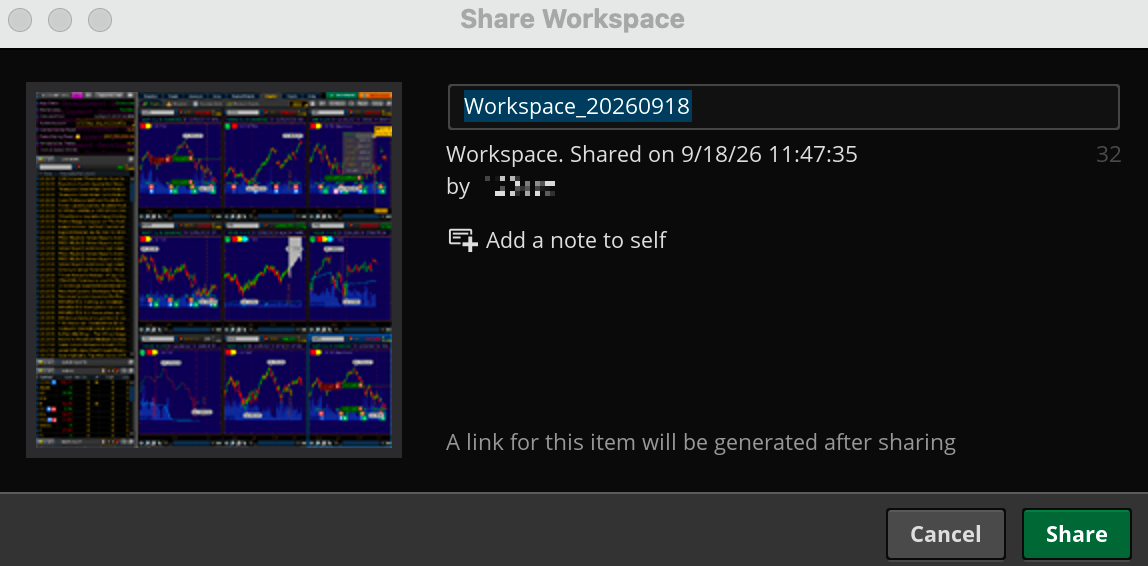
Workspaces can also be shared between devices from the Setup tab. Sharing a workspace transfers its saved configuration, so you do not have to rebuild it from scratch.
For more information about workspace layouts, see Workspaces. For other platform preferences, see thinkorswim® Setup.